In today’s fast-paced creative industry, photography is more than just clicking the shutter—it’s about creating a seamless workflow that bridges the gap between capturing an image and delivering a final, polished product. Whether you’re a landscape enthusiast, a fashion photographer, or a real estate professional, an efficient process from lens to Lightroom ensures consistent quality and faster turnaround times.
Step 1: Capturing the Shot
Everything begins with a well-composed, properly exposed image. High-resolution cameras, mirrorless systems, and AI-driven smartphones are now capable of capturing incredible detail and dynamic range. For fashion photography, this means crystal-clear textures in fabrics; for product photography, it ensures sharp edges and accurate colors; and for real estate photography, it means preserving detail from the brightest windows to the darkest interiors.
Step 2: Organizing and Importing
The first step after shooting is importing your images into Adobe Lightroom or similar digital asset management software. Organizing by project, date, or client allows you to quickly locate files. This is especially critical in real estate image editing, where turnaround speed can influence property sales.
Step 3: Editing for Purpose
Editing is where your creative vision comes alive. The approach varies depending on your niche:
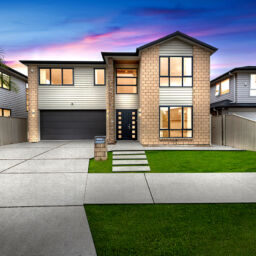
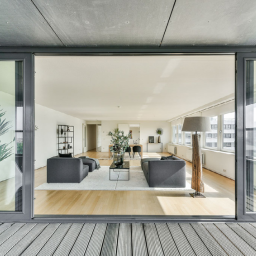
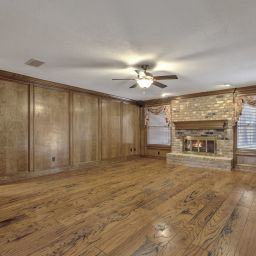
Real estate photography often uses virtual staging solutions to add furniture and décor digitally, day-to-dusk conversions to create twilight appeal, and panorama stitching for wide property views.
Fashion image editing focuses on skin retouching, color grading, and background cleanup to meet magazine or e-commerce standards.
Product photography editing includes Digital Image Enhancement, background removal, and reflection adjustments to create clean, market-ready visuals.
Step 4: Advanced Adjustments
Lightroom offers a non-destructive workflow, meaning you can always revert changes. For more complex edits—such as Sky Replacement in real estate, composite product images, or creative overlays in fashion—Adobe Photoshop or Luminar Neo provides advanced tools. These allow precision masking, layering, and content-aware fills to push your images to the next level.
Step 5: Export and Delivery
Once your edits are complete, exporting in the correct format is vital. Real estate agents may need high-resolution JPEGs optimized for MLS listings, while fashion and product brands may request TIFF files for print or compressed versions for e-commerce platforms.
Final Thoughts
A modern photography workflow isn’t just about software—it’s about knowing which tools and image editing services best match your niche. From Virtual staging solutions for real estate to high-end retouching for fashion and flawless background removal for products, mastering each stage ensures your work stands out.
From lens to Lightroom, every step is an opportunity to elevate your craft—and deliver visuals that impress, inspire, and sell.